Acing Virtual Interviews Across Time Zones: A Guide for International Candidates 2026
Interviewing across time zones adds real logistics to an already high-stakes moment — here is how to handle every layer of it so nothing technical derails you.
You are in Mumbai, Bangkok, or São Paulo. The recruiter is in Austin or Seattle. The interview slot they offered is 9 AM their time, which puts you at 8:30 PM your time. You have thirty minutes on Zoom with a hiring manager whose name you learned yesterday, and your entire US job search is riding on how this call goes.
This is the reality for tens of thousands of international candidates on F-1, OPT, STEM OPT, and H-1B every year. Virtual interviewing has leveled the geographic playing field in some ways — you no longer have to fly to San Francisco for a first-round screen — but it introduces a distinct set of challenges: technology failures at the worst possible moment, lighting that makes you look unprepared, background noise you cannot control, and scheduling math that turns a 45-minute call into a half-day of logistics. This guide covers all of it, with specific, actionable setups you can execute before your next interview.
Time zone math — do it once and do it right
The single most avoidable mistake in cross-timezone interviewing is getting the time wrong. This happens more than most people admit, especially when the interviewer sends a calendar invite in their local time and your calendar app silently converts it — or does not.
The only safe conversion protocol
- When the interview is confirmed, open worldtimeserver.com or your phone's world clock and manually verify the conversion.
- Write the interview time in BOTH time zones in your calendar invite title. Example: "PM Interview — 2 PM PST / 3:30 AM IST Wednesday."
- Set two phone alarms — one 60 minutes before and one 15 minutes before, labeled with what they are.
- If you are scheduling the call yourself, always state both time zones in your confirmation email. "Does Wednesday at 2 PM PST (3:30 AM IST Thursday for me) work for you?" This prevents any ambiguity and shows attention to detail.
Navigating daylight saving time
The US observes daylight saving time from the second Sunday in March through the first Sunday in November. India, most of Southeast Asia, China, and Japan do not observe DST. This means the offset between New York and Delhi changes by an hour twice a year. If your interview is scheduled near a DST transition date, verify the offset specifically for the week of your interview, not the week you are booking it.
| US Time Zone | Standard Offset from UTC | DST Offset from UTC |
|---|---|---|
| Eastern (EST/EDT) | UTC -5 | UTC -4 |
| Central (CST/CDT) | UTC -6 | UTC -5 |
| Mountain (MST/MDT) | UTC -7 | UTC -6 |
| Pacific (PST/PDT) | UTC -8 | UTC -7 |
A quick sanity check: subtract your city's UTC offset from the interviewer's UTC offset to get the hours' difference at any given moment.
Remote interview setup — the non-negotiable baseline
Your technical setup is a silent signal to every interviewer. A clean, stable, well-lit setup says "I am organized and I prepare." A laggy, backlit, pixelated setup says the opposite — before you say a word.
Internet connection
Run a speed test at fast.com at the time of day you plan to interview. Zoom requires approximately 1.5 Mbps up and down for 1080p video. If your home connection is inconsistent, use Ethernet rather than Wi-Fi if at all possible. Close every background application — cloud backups, video streaming, OS updates — before the call.
Backup plan: always have your phone's mobile hotspot enabled and tested, so switching takes ten seconds, not five panicked minutes.
Audio
A wired earbud set with a microphone (the kind that comes with a phone) outperforms laptop built-in audio in almost every home environment. Position the microphone near your mouth, not dangling at chest level. Test your audio level in Zoom's audio settings — the green bar should reach about two-thirds when you speak at normal interview volume.
If you share your living space with roommates or family, brief them on your interview window. Put a physical note on the door. Background noise during a video interview is one of the most common complaints hiring managers mention — and it is entirely preventable.
Camera position and eye contact
Place your laptop or external camera at eye level. If your laptop sits on a desk, set it on a stack of books until the camera is at eye height. Looking up at the camera reads as looking at the interviewer. Looking down at a camera below desk level reads as looking at your lap.
The key trick for eye contact on video: look at the camera dot when you are making a point, not at the video of the interviewer's face on your screen. Glancing at the screen to read reactions is fine; sustained eye contact happens at the camera.
Interview lighting and background — the visual impression you make before you speak
Lighting is the most underrated interview preparation step. Most candidates spend zero minutes on it and then wonder why they look tired or shadowy on screen.
Lighting setup
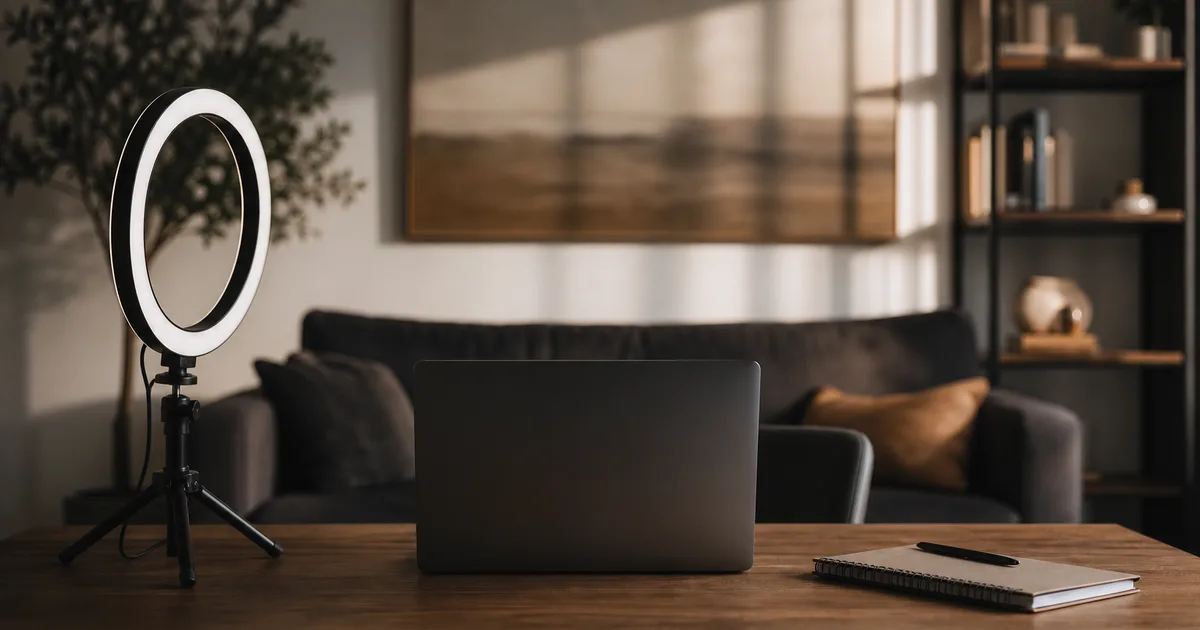
Natural light from a window positioned in front of you — not behind you — is the best-case scenario. A window behind you creates silhouette; you look like a shadow. If natural light is unavailable or unreliable (morning interviews in a north-facing room, evening interviews anywhere), a ring light placed at eye level directly in front of you solves the problem for under $30.
Avoid overhead lighting as your only source — it creates harsh shadows under your eyes and chin that read as fatigue.
Background
The safest background is a plain, uncluttered wall in a neutral color. Bookshelves read as intellectual if they are organized; they read as chaotic if they are not. Zoom and Teams virtual backgrounds work well if your internet is stable and you have a recent CPU — on slower machines they glitch and create a distracting halo effect around your outline. If you use a virtual background, test it on your specific hardware before the interview, not during it.
A note specific to international candidates: some candidates worry that a background visible through a window — a city skyline, a neighborhood clearly outside the US — might signal to a skeptical interviewer that they are abroad. If you are currently overseas and applying for roles that require US presence, a plain wall or neutral virtual background is the pragmatic choice, and it is perfectly normal.
The 24-hour pre-interview checklist
Think of your interview prep as two parallel tracks running simultaneously: the technical track and the content track. Most guides focus entirely on the content. The technical track is what actually derails candidates who have done the content work.
24 hours before
- Confirm the interview time in both time zones (see above).
- Run a full test call — start a Zoom meeting with yourself and review audio, video, lighting, and background on playback.
- Update your video conferencing app. Zoom, Teams, and Google Meet push updates frequently; an update prompt during your call is embarrassing.
- Charge your laptop fully and position the charger so you can plug in without disrupting your setup.
- Review the job description, the interviewer's LinkedIn, and the company's recent news. Review your STAR-method behavioral stories — see our guide on behavioral interviews for non-native speakers for specific frameworks.
30 minutes before
- Close all browser tabs except the interview link.
- Silence your phone (but keep mobile hotspot available as backup).
- Put a glass of water within reach — off-camera so it does not look cluttered, but reachable.
- Open the interview link and sit in the waiting room 5 minutes early. Joining at exactly the scheduled time reads as borderline late on video because the host sees you connect and then has a dead few seconds before you are ready.
During the call
Speak slightly more slowly than you would in person. Video introduces latency — typically 100-300ms — and compression artifacts make fast speech harder to process. This is especially important for candidates who speak English as a second language; a measured pace is an asset, not a weakness.
If your audio or video drops, do not panic. Say clearly: "I lost connection for a moment — can you still hear me?" then proceed. Most interviewers have had their own technical failures and are understanding when a candidate handles it calmly.
Handling the visa question in a virtual interview
Many international candidates dread the moment a virtual interviewer asks about work authorization. The good news is that in a structured virtual interview, this is less likely to come up than in an informal in-person conversation — interviewers are more focused, the format is more agenda-driven.
If your recruiter screen has already confirmed sponsorship availability, do not volunteer your visa status again in the technical or hiring manager interview. The team already knows. See our full breakdown on handling recruiter screen visa questions for the exact phrasing to use if you are asked directly.
If you are currently on OPT, be aware of the 90-day unemployment clock — every week between OPT jobs counts. If you are in the final months of OPT, your STEM extension eligibility and the I-983 Training Plan requirement with the new employer are worth understanding before you get to the offer stage. This affects how urgently you need an offer and how you think about your backup timeline.
Following up after a virtual interview across time zones
The follow-up thank-you note is where many international candidates lose points they have already earned in the interview itself.
The rules for virtual follow-ups across time zones:
- Send within two hours of the call ending, calculated to arrive during the interviewer's business day. If your interview ends at midnight your time but 9 AM their time, send immediately. If your interview ends at 7 PM your time but 3 AM their time, you can still send immediately — it will be waiting in their inbox when they arrive in the morning.
- Three sentences max: one reference to a specific moment in the interview (demonstrates active listening), one restatement of your interest in the role, one clear close (e.g., "I look forward to next steps").
- Address each interviewer separately if you interviewed with a panel — do not send a single group email.
For a more complete follow-up strategy, see our detailed guide on following up after interviews as an international candidate.
Common mistakes
These are the patterns that cause real damage — not because the candidate was unprepared on content, but because logistics failed them.
Showing up at the wrong time. Calendar app conversions fail when DST transitions happen mid-booking. Verify manually every time, with both time zones in your calendar entry.
Testing audio and video for the first time on interview day. Run a full test call 24 hours before. Discover problems when you have time to fix them, not during the interview.
Using Wi-Fi on a congested network. Apartment buildings and university housing have shared bandwidth. Ethernet is not optional on a flaky connection.
Choosing a virtual background without testing it. Low-end hardware creates a distracting shimmer around your outline. Test your specific machine, in your specific room, with the same application.
Looking at the interviewer's face on screen instead of the camera. You appear to be looking slightly downward or to the side. Practice glancing between the camera and the screen until it feels natural.
Asking to reschedule purely for time-zone reasons. If a 6 AM slot is inconvenient, that is your problem to manage, not the interviewer's to solve. Asking to reschedule for personal convenience — before you have any relationship with the company — is a common misstep.
Delivering a rushed, distracted follow-up. The thank-you note is the last data point the interviewer has before they form a final opinion. A sloppy note or a note sent 24 hours late undercuts a strong interview.
Frequently asked questions
What is the best way to handle a very early or very late interview time for an international candidate?
Accept the time slot, then treat it like a flight — build your schedule around it. If the slot is before 7 AM your time, do a full tech-check the night before, sleep early, and place your water, notes, and a charger within arm's reach before you sleep. If it is after 10 PM, eat beforehand so hunger does not distract you. Never ask a first-round recruiter to reschedule purely for time-zone convenience; it signals inflexibility before you have any relationship capital.
How do I handle internet instability during a video interview as an international student?
Dial in by phone as a simultaneous backup — provide the dial-in number in your confirmation email so the interviewer already has it. Use a wired Ethernet connection when possible. If video drops, immediately say through audio "I lost video — dialing in now" and switch to phone. Prepare a brief one-sentence acknowledgment you can deliver without awkwardness so the interviewer knows you are in control of the situation.
What is the safest background and lighting setup for a Zoom interview as an international candidate?
Natural light from a window in front of you — not behind you — is ideal. A plain, uncluttered wall or a neutral solid-color virtual background works well. Avoid virtual backgrounds that show landmarks, flags, or cultural symbols if you are worried about telegraphing your location to a skeptical interviewer before you are ready. A ring light placed at eye level solves the problem entirely if your room lighting is inconsistent.
Should I mention my visa status proactively during a virtual interview?
Do not volunteer it unless asked. If the recruiter screen has already confirmed sponsorship availability, the interview team usually already knows. If you are asked directly, give a confident, factual answer — our guide on handling visa questions in recruiter screens covers the exact phrasing. Volunteering it unprompted in an opening small-talk moment just adds friction without benefit.
How do I follow up after a virtual interview when I am in a different time zone from the interviewer?
Send your thank-you note within two hours of the interview ending — calculate the interviewer's local time and make sure the email lands during their business day, not at 3 AM their time. Keep it to three sentences maximum — one callback to a specific topic from the conversation, one reaffirmation of your interest, one clear close. Our guide on following up after interviews covers the full playbook for international candidates.
Have a virtual interview coming up and want a second set of eyes on your setup or your talking points? F1Jobs — we help international candidates prepare for every stage of the US job search, from first recruiter screen to offer.
Frequently asked questions
What is the best way to handle a very early or very late interview time for an international candidate?
Accept the time slot, then treat it like a flight — build your schedule around it. If the slot is before 7 AM your time, do a full tech-check the night before, sleep early, and place your water, notes, and a charger within arm's reach before you sleep. If it is after 10 PM, eat beforehand so hunger does not distract you. Never ask a first-round recruiter to reschedule purely for time-zone convenience; it signals inflexibility before you have any relationship capital.
How do I handle internet instability during a video interview as an international student?
Dial in by phone as a simultaneous backup — provide the dial-in number in your confirmation email so the interviewer already has it. Use a wired Ethernet connection when possible. If video drops, immediately say through audio "I lost video — dialing in now" and switch to phone. Prepare a brief one-sentence acknowledgment you can deliver without awkwardness so the interviewer knows you are in control of the situation.
What is the safest background and lighting setup for a Zoom interview as an international candidate?
Natural light from a window in front of you — not behind you — is ideal. A plain, uncluttered wall or a neutral solid-color virtual background works well. Avoid virtual backgrounds that show landmarks, flags, or cultural symbols if you are worried about telegraphing your location to a skeptical interviewer before you are ready. A ring light placed at eye level solves the problem entirely if your room lighting is inconsistent.
Should I mention my visa status proactively during a virtual interview?
Do not volunteer it unless asked. If the recruiter screen has already confirmed sponsorship availability, the interview team usually already knows. If you are asked directly, give a confident, factual answer — our guide on handling visa questions in recruiter screens covers the exact phrasing. Volunteering it unprompted in an opening small-talk moment just adds friction without benefit.
How do I follow up after a virtual interview when I am in a different time zone from the interviewer?
Send your thank-you note within two hours of the interview ending — calculate the interviewer's local time and make sure the email lands during their business day, not at 3 AM their time. Keep it to three sentences maximum — one callback to a specific topic from the conversation, one reaffirmation of your interest, one clear close. Our guide on following up after interviews covers the full playbook for international candidates.